Chapter2: Text
Headings
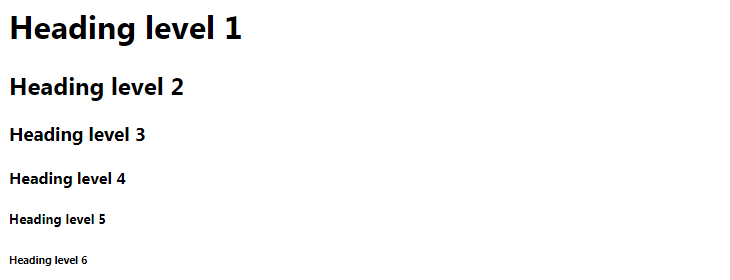
HTML has six “levels” of headings:
h1 is used for main headings
h2 is used for subheadings
If there are further sections under the subheadings then the h3 element is used, and so on…
Paragraphs
p To create a paragraph, surround the words that make up the paragraph with an opening tag and closing </p> tag.
Bold & Italic
b By enclosing words in the tags and we can make characters appear bold. The element also represents a section of text that would be presented in a visually different way (for example key words in a paragraph) although the use of the element does not imply any additional meaning.
i By enclosing words in the tags and we can make characters appear italic. The element also represents a section of text that would be said in a different way from surrounding content — such as technical terms, names of ships, foreign words, thoughts, or other terms that would usually be italicized
Superscript & Subscript
sup The sup element is used to contain characters that should be superscript such as the suffixes of dates or mathematical concepts like raising a number to a power such as 22.
sub The sub element is used to contain characters that should be subscript. It is commonly used with foot notes or chemical formulas such as H20.
White Space
In order to make code easier to read, web page authors often add extra spaces or start some elements on new lines.
When the browser comes across two or more spaces next to each other, it only displays one space. Similarly if it comes across a line break, it treats that as a single space too. This is known as white space collapsing
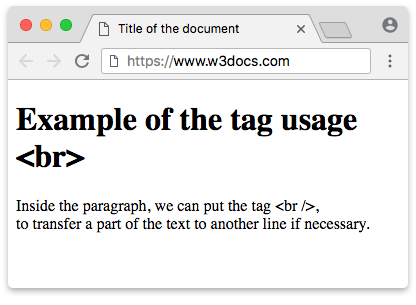
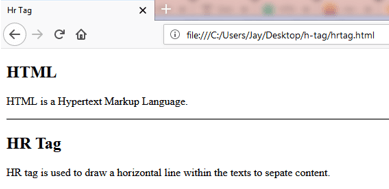
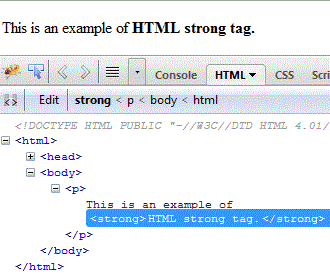
The below will be shown as an images examples:
Line Breaks & Horizontal Rules
Strong & Emphasis
strong
em
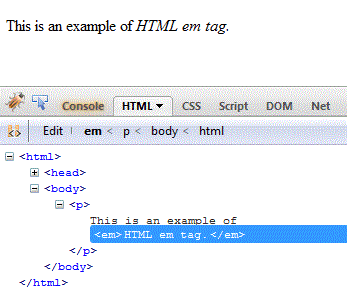
The following link will help you by tutorials to try any example you want in HTML Link
Understanding CSS:
The key to understanding how CSS works is to imagine that there is an invisible box around every HTML element.
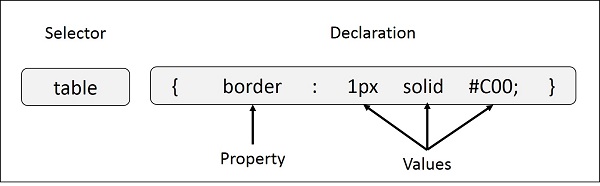
CSS works by associating rules with HTML elements. These rules govern how the content of specified elements should be displayed. A CSS rule contains two parts: a selector and a declaration.
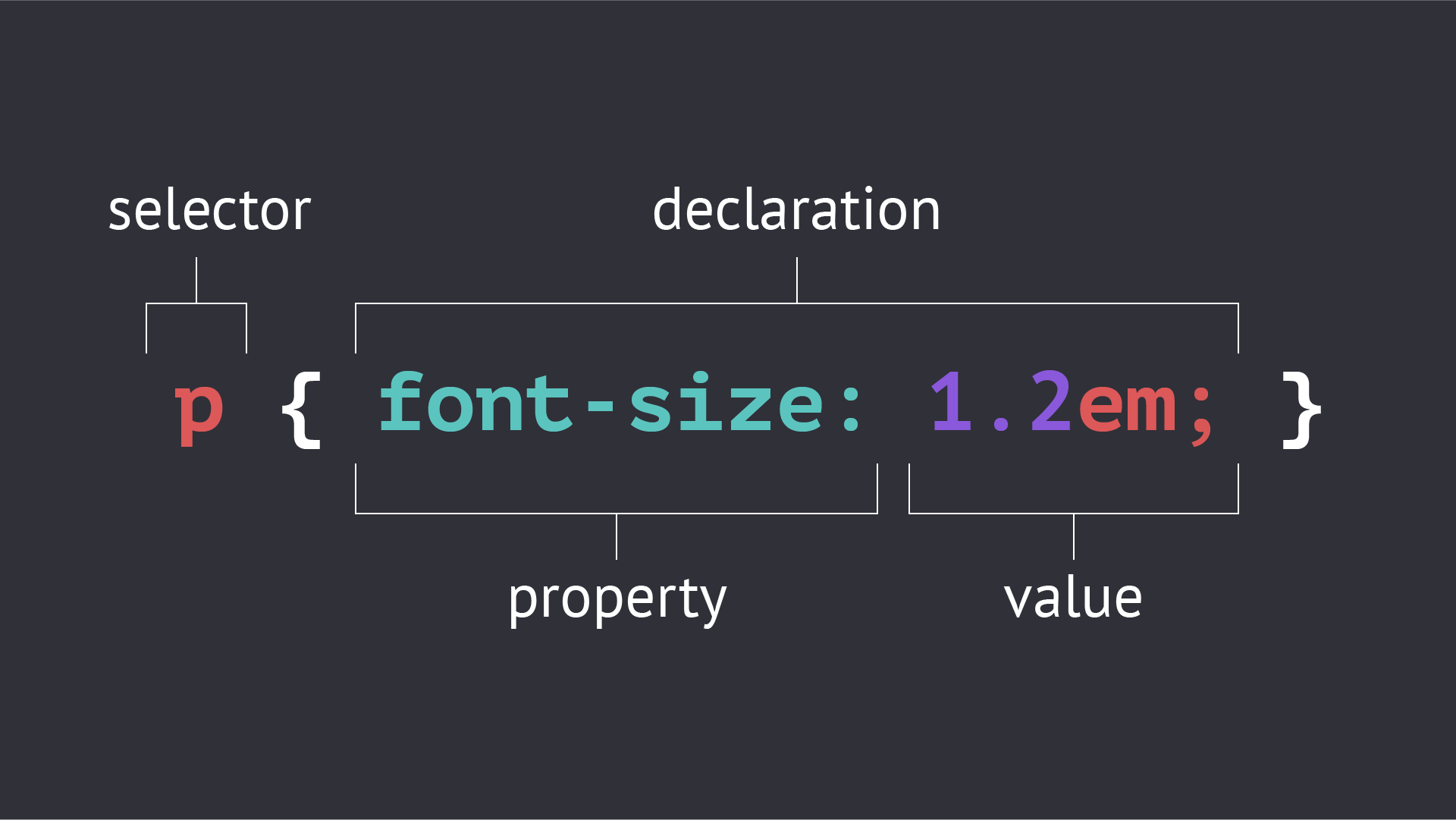
CSS declarations sit inside curly brackets and each is made up of two parts: a property and a value, separated by a colon. You can specify several properties in one declaration, each separated by a semi-colon.
Using External CSS
link
The link element can be used in an HTML document to tell the browser where to find the CSS file used to style the page. It is an empty element (meaning it does not need a closing tag), and it lives inside the head element. It should use three attributes:
-
href This specifies the path to the CSS file (which is often placed in a folder called css or styles).
-
type This attribute specifies the type of document being linked to. The value should be text/css.
-
rel This specifies the relationship between the HTML page and the file it is linked to. The value should be stylesheet when linking to a CSS file.
Using Internal CSS
style
You can also include CSS rules within an HTML page by placing them inside a style element, which usually sits inside the head element of the page. The style element should use the type attribute to indicate that the styles are specified in CSS. The value should be text/ css. When building a site with more than one page, you should use an external CSS style sheet. This:
-
Allows all pages to use the same style rules (rather than repeating them in each page).
-
Keeps the content separate from how the page looks.
-
Means you can change the styles used across all pages by altering just one file (rather than each individual page)