Images , color and Text
Images :
Adding Images
<img> To add an image into the page you need to use an <img> element. This is an empty
element (which means there is no closing tag). It must carry the following two attributes:
1. src : This tells the browser where it can find the image file. This will usually be a relative URL pointing to an image on your own site.
2. alt: This provides a text description of the image which describes the image if you cannot see it.

Height & Width of Images
for example :
<img src="images/quokka.jpg" alt="A family of
quokka" width="600" height="450" />
Where to Place Images in Your Code
1: before a paragraph The paragraph starts on a new line after the image.
2: inside the start of a paragraph The first row of text aligns with the bottom of the image.
3: in the middle of a paragraph The image is placed between the words of the paragraph that it appears in.
Three Rules for Creating Images:
1.Save images in the right format
2.Save images at the right size
3.Use the correct resolution
Color
Foreground Color color
rgb values

hex codes

color names
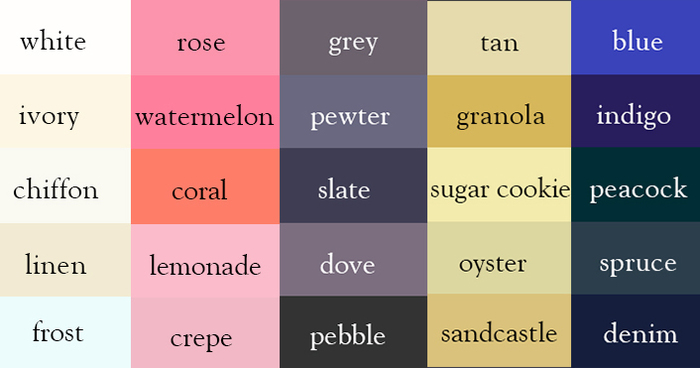
Contrast
When picking foreground and background colors, it is important to ensure that there is enough contrast for the text to be legible.
-
Low Contrast
-
High Contrast
-
Medium Contrast
Text:
Typeface Terminology :
Serif : Serif fonts have extra details on the ends of the main strokes of the letters. These details are known as serifs.
Sans-Serif:Sans-serif fonts have straight ends to letters, and therefore have a much cleaner design.
Monospace :Every letter in a monospace (or fixed-width) font is the same width. (Non-monospace fonts have different widths.)
Choosing a Typeface for your Website
When choosing a typeface, it is important to understand that a browser will usually only display it if it’s installed on that user’s computer.